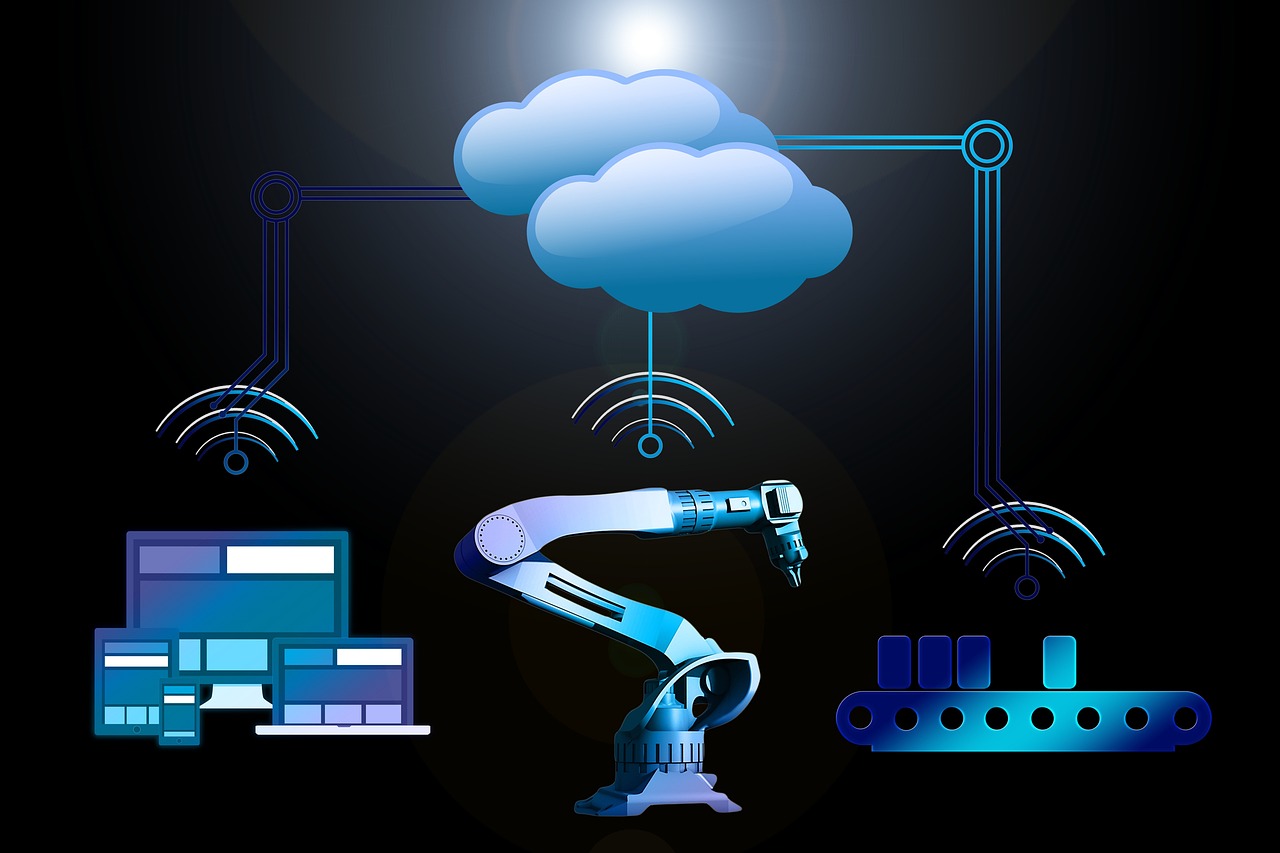
Test Warehouse Robot Fleets with ROS 2 Nav2 and Gazebo Simulation
The Test Warehouse Robot Fleets leverage ROS 2 Nav2 for enhanced navigation and Gazebo Simulation for realistic testing environments. This integration enables efficient deployment and optimization of robotic operations, significantly reducing downtime and maximizing productivity in warehouse settings.
Glossary Tree
Explore the technical hierarchy and ecosystem of ROS 2 Nav2 and Gazebo for comprehensive warehouse robot fleet simulation and integration.
Protocol Layer
ROS 2 DDS Communication Protocol
Utilizes Data Distribution Service (DDS) for real-time communication between robot components in simulation environments.
Nav2 Action Server
Facilitates goal-oriented communication for navigation tasks within ROS 2, enabling efficient task management.
RTPS Transport Layer
Real-Time Publish-Subscribe (RTPS) ensures low-latency, reliable communication between distributed systems in ROS 2.
Gazebo API Interface
Provides a standardized interface for interacting with simulated environments, enhancing robot simulation capabilities.
Data Engineering
NoSQL Database for Robot Data
Utilizes NoSQL databases like MongoDB for storing unstructured sensor and simulation data from robot fleets.
Data Chunking for Efficiency
Implements data chunking to optimize storage and processing of large simulation datasets in real-time applications.
Access Control Mechanisms
Employs role-based access control to ensure secure handling of sensitive robot operation data and simulations.
Transactional Integrity with ACID
Ensures data consistency and integrity through ACID properties in transactional operations during simulations.
AI Reasoning
Hierarchical Task Planning
Utilizes AI reasoning to decompose complex warehouse tasks into manageable subtasks for robots.
Contextual Prompt Engineering
Designs specific prompts that guide robots in executing tasks based on environmental context and goals.
Error Detection Mechanisms
Implements safeguards to identify and correct potential errors in robot navigation and task execution.
Adaptive Reasoning Chains
Employs dynamic reasoning strategies that adapt based on real-time data and robot performance feedback.
Maturity Radar v2.0
Multi-dimensional analysis of deployment readiness.
Technical Pulse
Real-time ecosystem updates and optimizations.
ROS 2 Nav2 SDK Update
Enhanced ROS 2 Nav2 SDK now supports real-time fleet management, enabling seamless integration with Gazebo for dynamic simulation and testing of warehouse robot fleets.
Gazebo Simulation Optimization
New Gazebo architecture optimizes data flow and resource allocation, improving simulation performance for ROS 2 Nav2-based warehouse robot fleets under varying conditions.
ROS 2 Security Enhancements
Implemented OIDC authentication for secure access control in ROS 2 Nav2 deployments, ensuring robust security for warehouse robot fleet operations and data integrity.
Pre-Requisites for Developers
Before deploying Test Warehouse Robot Fleets with ROS 2 Nav2 and Gazebo Simulation, verify that your data architecture and simulation environment meet operational requirements to ensure scalability and system reliability.
Technical Foundation
Essential setup for robot fleet testing
Normalised Schemas
Implement 3NF normalized schemas for sensor data to ensure integrity and facilitate efficient queries during robot fleet simulations.
Connection Pooling
Establish connection pooling for database interactions to optimize performance and reduce latency in data retrieval during simulations.
Environment Variables
Set critical environment variables for ROS 2 and Gazebo configurations to ensure the correct operation of the simulation environment.
Logging Setup
Implement comprehensive logging for all simulation processes to monitor robot behaviors and diagnose issues effectively.
Critical Challenges
Common pitfalls in fleet testing
error_outline Simulation Environment Drift
Misalignment between simulation parameters and real-world conditions can lead to inaccurate performance predictions for robot fleets.
sync_problem Latency Issues
High latency in communication between ROS nodes can result in delayed responses, affecting robotic navigation and task execution.
How to Implement
code Code Implementation
robot_fleet_test.py
"""
Production implementation for testing warehouse robot fleets using ROS 2 Nav2 and Gazebo.
Provides secure, scalable operations for simulation and testing.
"""

from typing import Dict, Any, List, Tuple
import os
import logging
import time
import random
import rclpy
from rclpy.node import Node
from geometry_msgs.msg import PoseStamped

logging.basicConfig(level=logging.INFO)
logger = logging.getLogger(__name__)

class Config:
    """
    Configuration class to manage environment variables.
    """
    gazebo_model: str = os.getenv('GAZEBO_MODEL', 'warehouse_robot')
    simulation_time: float = float(os.getenv('SIMULATION_TIME', '10'))

def validate_input(data: Dict[str, Any]) -> bool:
    """Validate input data for robot fleet testing.

    Args:
        data: Input data containing robot configurations.
    Returns:
        True if valid.
    Raises:
        ValueError: If validation fails.
    """
    if 'robots' not in data:
        raise ValueError('Missing robots configuration')  # Ensure robots key exists
    return True

def sanitize_fields(data: Dict[str, Any]) -> Dict[str, Any]:
    """Sanitize input data for security.

    Args:
        data: Input data to sanitize.
    Returns:
        Sanitized data.
    Raises:
        ValueError: If data is not valid.
    """
    sanitized = data.copy()  # Make a copy to sanitize
    for key in sanitized:
        if isinstance(sanitized[key], str):
            sanitized[key] = sanitized[key].strip().lower()  # Strip whitespace and lower case
    return sanitized

def transform_records(data: Dict[str, Any]) -> List[Dict[str, Any]]:
    """Transform input data for processing.

    Args:
        data: Input data to transform.
    Returns:
        List of transformed records.
    """
    return [{'robot_id': robot['id'], 'pose': robot['pose']} for robot in data['robots']]

def process_batch(records: List[Dict[str, Any]]) -> None:
    """Process a batch of robot records.

    Args:
        records: List of robot records to process.
    """
    for record in records:
        logger.info(f"Processing robot: {record['robot_id']}")  # Log processing action
        publish_pose(record['pose'])  # Publish pose to ROS

def publish_pose(pose: Dict[str, float]) -> None:
    """Publish the robot's pose to ROS 2.

    Args:
        pose: Pose of the robot to publish.
    """
    rclpy.init()  # Initialize ROS 2 communication
    node = Node('robot_publisher')
    pose_pub = node.create_publisher(PoseStamped, 'robot_pose', 10)
    message = PoseStamped()
    message.header.stamp = node.get_clock().now().to_msg()
    message.pose.position.x = pose['x']
    message.pose.position.y = pose['y']
    logger.info(f"Publishing pose: {pose}")  # Log published pose
    pose_pub.publish(message)
    time.sleep(1)  # Sleep to simulate delay
    rclpy.shutdown()  # Shutdown ROS 2

class RobotFleetTester:
    """Main orchestrator class for robot fleet testing.
    """
    def __init__(self, config: Config):
        self.config = config

    def run_tests(self, data: Dict[str, Any]) -> None:
        """Run the robot fleet tests.

        Args:
            data: Input data for testing.
        """
        try:
            validate_input(data)  # Validate input data
            sanitized_data = sanitize_fields(data)  # Sanitize input
            records = transform_records(sanitized_data)  # Transform input
            process_batch(records)  # Process records
        except ValueError as e:
            logger.error(f"Validation error: {e}")  # Log validation errors
        except Exception as e:
            logger.error(f"An error occurred: {e}")  # Log unexpected errors

if __name__ == '__main__':
    # Example usage
    config = Config()  # Load configuration
    tester = RobotFleetTester(config)  # Initialize the tester
    test_data = {'robots': [{'id': 'robot_1', 'pose': {'x': 1.0, 'y': 2.0}}, {'id': 'robot_2', 'pose': {'x': 3.0, 'y': 4.0}}]}  # Example test data
    tester.run_tests(test_data)  # Run tests
Implementation Notes for Scale
This implementation leverages Python's ROS 2 framework for real-time communication and Gazebo for simulation. Key features include robust input validation, logging, and error handling for reliability. The architecture follows a modular design, improving maintainability through helper functions. The data pipeline effectively manages validation, transformation, and processing, ensuring scalability and security in testing robot fleets.
cloud Cloud Infrastructure

- ECS Fargate: Run containerized ROS 2 applications without managing servers.
- Lambda: Execute lightweight functions for robot fleet control.
- S3: Store simulation data and models for easy access.

- GKE: Manage Kubernetes clusters for scalable robot fleet deployment.
- Cloud Run: Deploy containerized applications for simulation on demand.
- Cloud Storage: Store and retrieve simulation assets efficiently.

- AKS: Use Azure Kubernetes Service for orchestration of robot fleets.
- Azure Functions: Run serverless code for real-time fleet management.
- CosmosDB: Store simulation data with low latency for quick access.
Expert Consultation
Our team specializes in deploying robust robotic simulation environments using ROS 2 and Gazebo on cloud platforms.
Technical FAQ
01. How does ROS 2 Nav2 manage robot navigation in complex warehouses?
ROS 2 Nav2 leverages a modular architecture, using components like the Behavior Tree for task management and the Local Planner for real-time path adjustments. It employs a costmap to navigate obstacles, ensuring efficient routing in dynamic environments. This modularity supports easy updates and integration with new sensors, enhancing adaptability in warehouse settings.
02. What security measures should I implement for ROS 2 Nav2 in production?
To secure ROS 2 Nav2 deployments, implement Transport Layer Security (TLS) for encrypted communication between nodes. Use access control lists (ACLs) to restrict node interactions. Additionally, regularly update dependencies to patch vulnerabilities and utilize network segmentation to isolate robot communication from other systems, enhancing overall security.
03. What happens if a robot loses localization in a warehouse?
If a robot loses localization, it may wander or collide with obstacles. Implement a fallback strategy using a global planner to re-establish its position via landmarks or a predefined map. Additionally, utilize sensor fusion techniques, like combining Lidar and camera data, to improve robustness against localization failures in dynamic environments.
04. What dependencies are required for Gazebo simulation with ROS 2 Nav2?
To run Gazebo simulations with ROS 2 Nav2, ensure you have Gazebo installed alongside the ROS 2 workspace. Dependencies include 'ros-<distro>-navigation2' and 'ros-<distro>-gazebo-ros-pkgs'. Additionally, install plugins for sensor simulations (like Lidar and camera), ensuring compatibility with your specific robot model.
05. How does using Gazebo for simulation compare to physical testing for robot fleets?
Using Gazebo for simulation allows rapid iteration and testing without physical wear on hardware, reducing costs and time. However, it may not capture all real-world dynamics, such as sensor noise or mechanical failures. Balancing simulations with controlled physical tests is essential to validate navigation strategies and ensure reliability in real-world operations.
Ready to optimize your warehouse with ROS 2 Nav2 simulations?
Our experts provide tailored guidance on testing warehouse robot fleets using ROS 2 Nav2 and Gazebo, ensuring efficient, scalable, and production-ready robotic solutions.